




Design Partner Program Update February 21, 2025
By Josh Katinger, Sr Product Manager at Formstack
Data Fabric: The Power of Data Activation Without the Burden of Retention
Data Fabric is a core component of our new platform, Formstack Streamline, enabling seamless connections between workflows and external data sources without retaining any of the data in those sources. This approach ensures data remains in its original location while still being available for automation, personalization, and secure collaboration.
Let’s explore how our Data Fabric works, its key capabilities, and the benefits of its Zero Data Retention (ZDR) approach.
Connecting Data Without Duplication
Traditional automation tools often require data to be copied into a centralized database, creating security risks, compliance challenges, and data inconsistencies. Our Data Fabric takes a different approach.
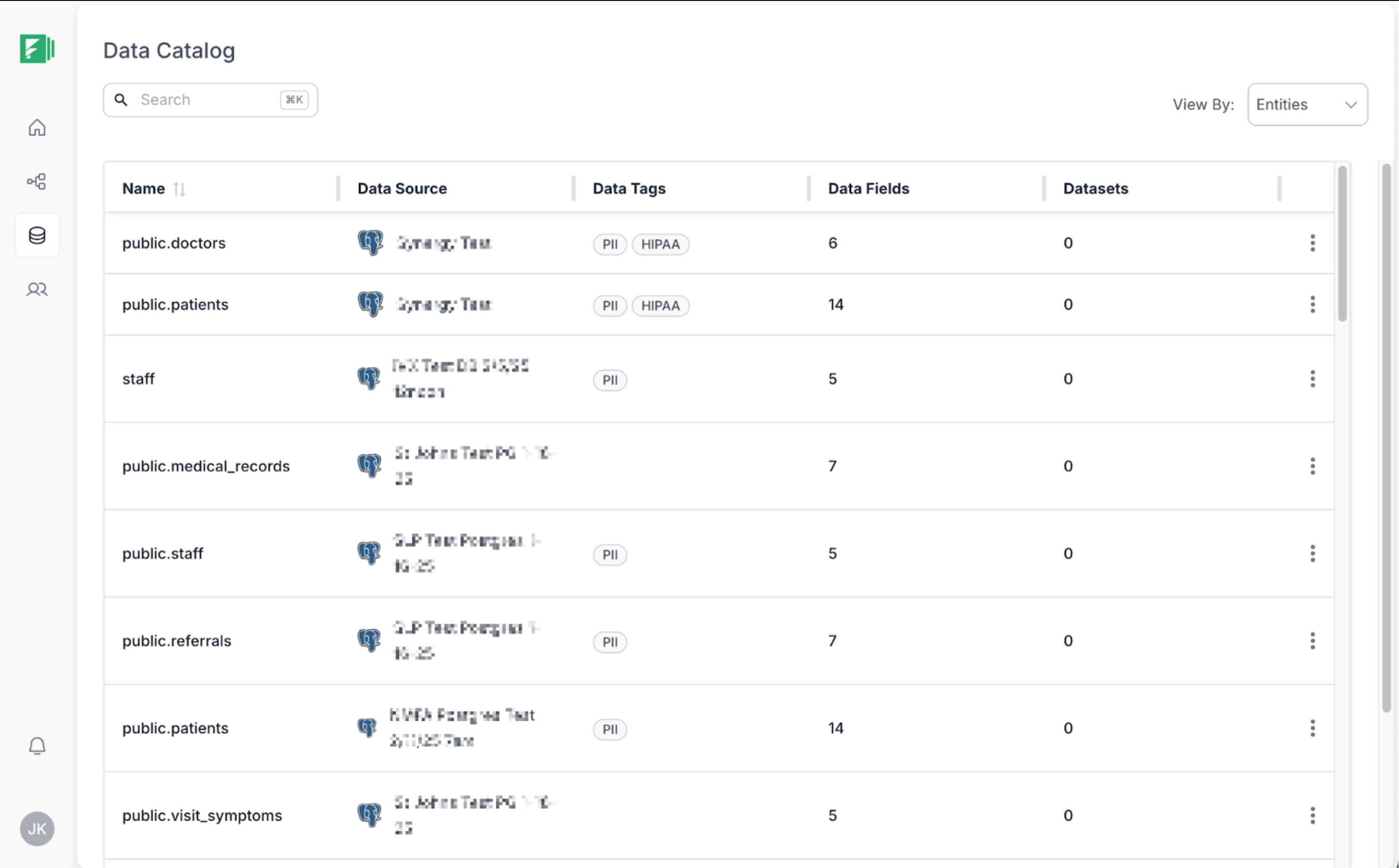
When a data source is connected, the Data Fabric automatically analyzes its metadata to create a virtual map of the underlying data types and relationships—whether it’s a relational database, an API-driven SaaS platform, or an unstructured data store. This process identifies:
- Data Organization – Understanding tables, fields, and key relationships in structured data sources, as well as extracting relevant elements from API-based or unstructured sources.
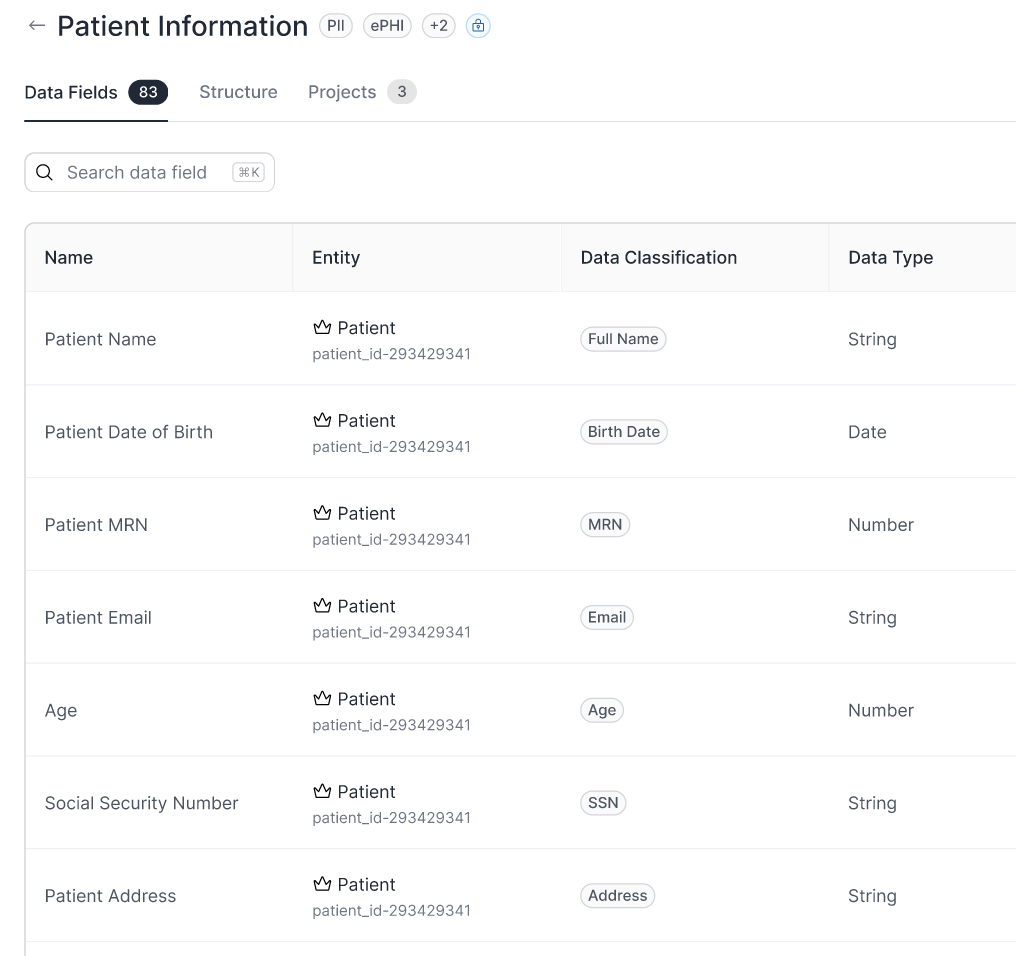
- Data Classification – Detecting and labeling fields such as names, email addresses, and postal addresses, for example.
- Security and Compliance Tagging – Automatically tagging sensitive data under frameworks such as HIPAA, SOC 2, PII, and PHI, providing users with a clear understanding of security obligations.
Once discovery is complete and a Data Catalog is created, workflows can access and use the data in real time—without requiring migration, replication, or storage within the platform.
Using Data Fabric in Workflows
With the Data Fabric, users can leverage external data sources to:
- Prefill forms – Pull relevant data into forms to reduce manual entry and improve accuracy. This saves time and creates a better end-user experience.
- Enable real-time data editing – Allow users to view and update information from connected sources, with changes written back directly to the system of record.
- Generate dynamic documents – Use live data from connected sources to create contracts, agreements, and other documents for eSignature and automated delivery
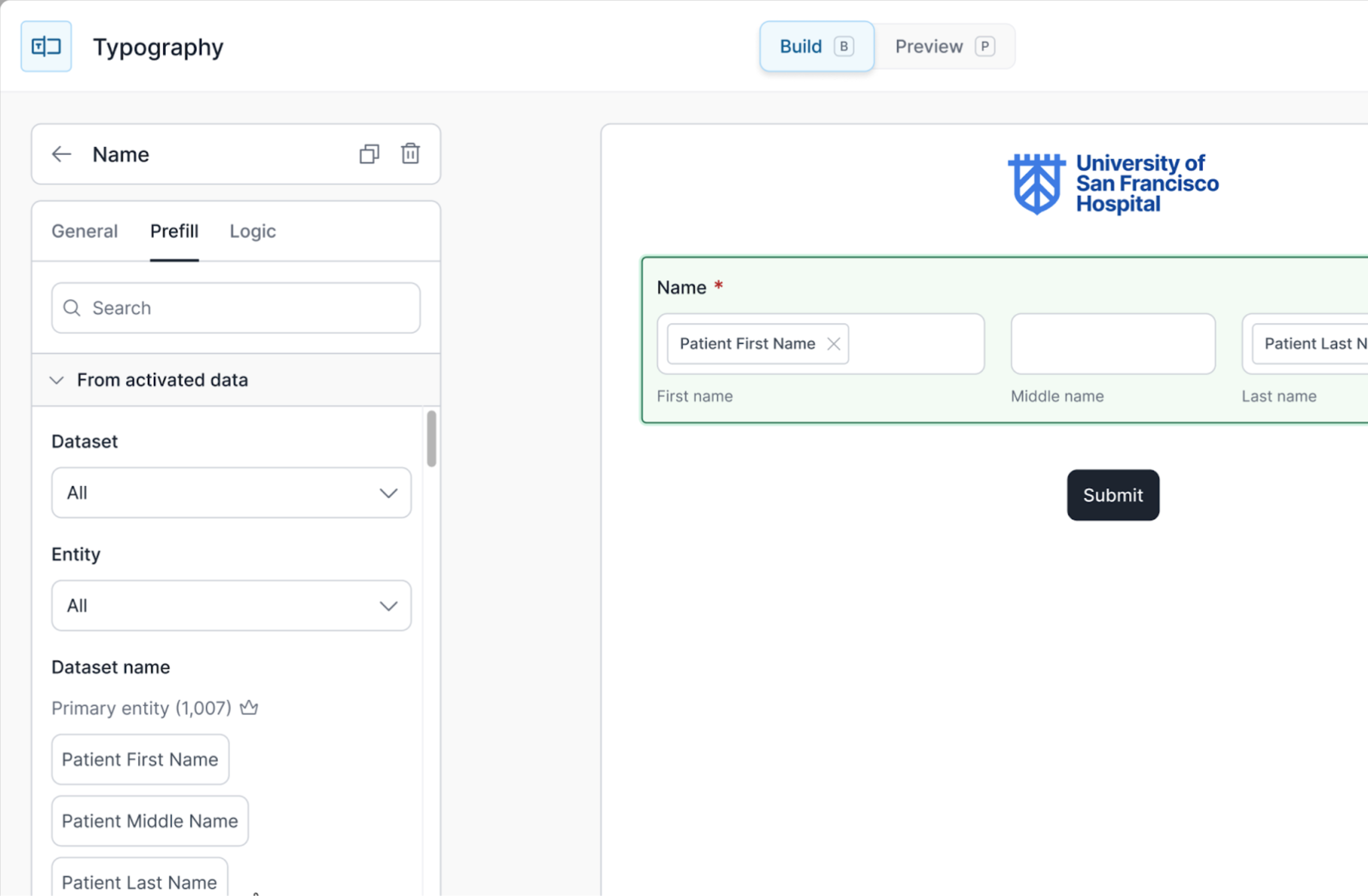
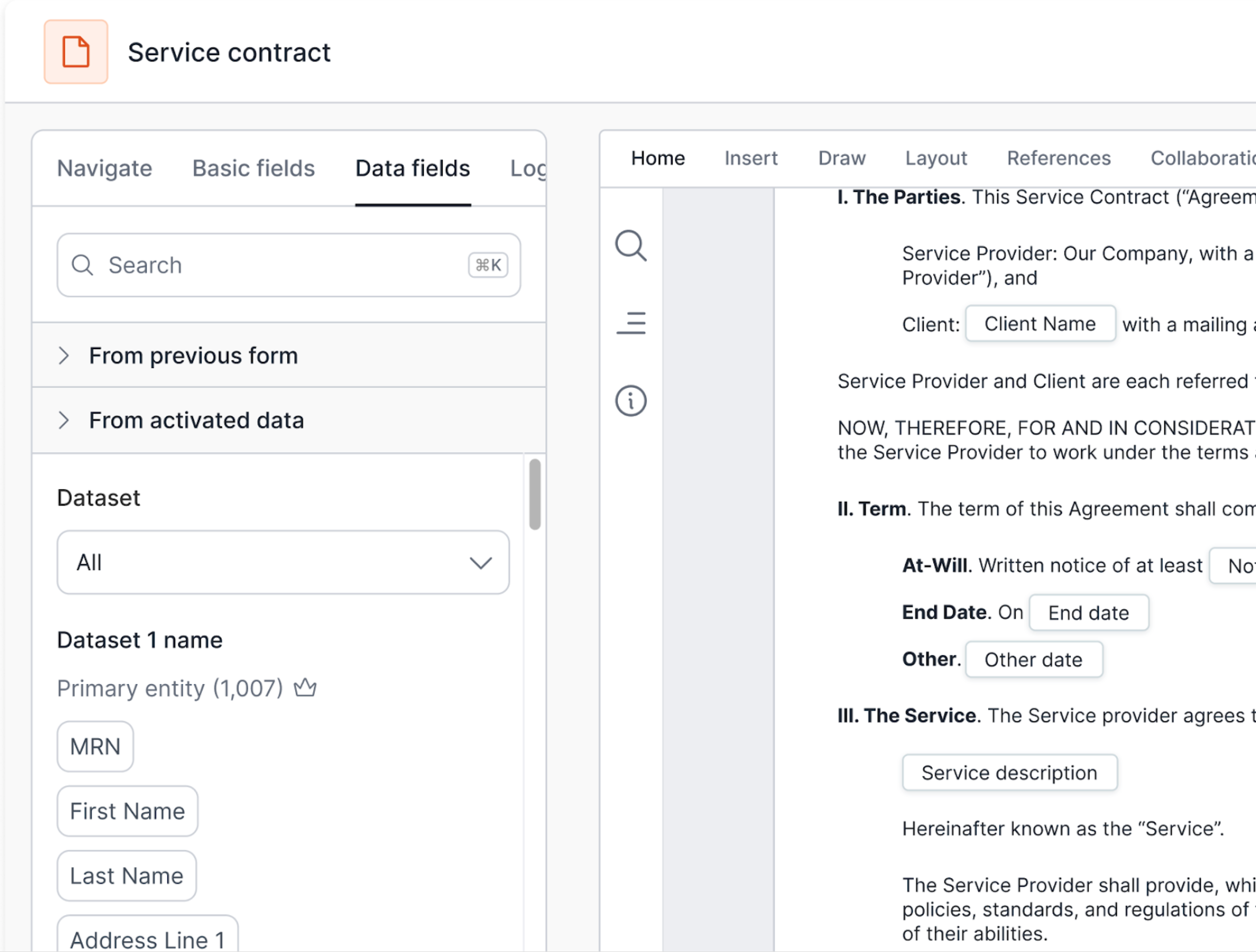
Because all data interactions happen at the source, changes made while collecting data in workflows can be immediately reflected in the original system, ensuring accuracy and consistency.

Zero Data Retention (ZDR): A Secure, Privacy-First Approach
A key differentiator of our Data Fabric is its Zero Data Retention (ZDR) model. This means the platform does not retain customer data permanently. Instead, it acts as a secure bridge between workflows and external data sources. Any data accessed during a session is temporarily retained only for the duration of that session to enable seamless operations and is automatically purged afterward, ensuring both efficiency and data safety.
Benefits of ZDR:
- Enhanced data privacy – No data is duplicated or stored, minimizing exposure to breaches.
- Compliance & security – Meets strict security and compliance requirements by ensuring sensitive data remains in its system of origin.
- No AI data reuse – Unlike some platforms that retain data for AI training or analytics, the Data Fabric approach ensures your data is never repurposed.
Summary
Our Data Fabric enables seamless, secure data connectivity without the effort and risks associated with copying or storing sensitive information. By leveraging a Zero Data Retention approach, it reduces security risks, enhances compliance, and ensures that workflows interact with live data at its source.
With capabilities such as automated discovery, real-time data classification, and workflow integration, our Data Fabric provides a powerful yet privacy-conscious way to automate business processes without disrupting existing data infrastructure.
If you have questions or feedback about our Data Fabric, we’d love to hear from you. Email Josh here.
Design Partner Program Update February 10, 2025
By Colin Chapin, Sr Product Manager at Formstack
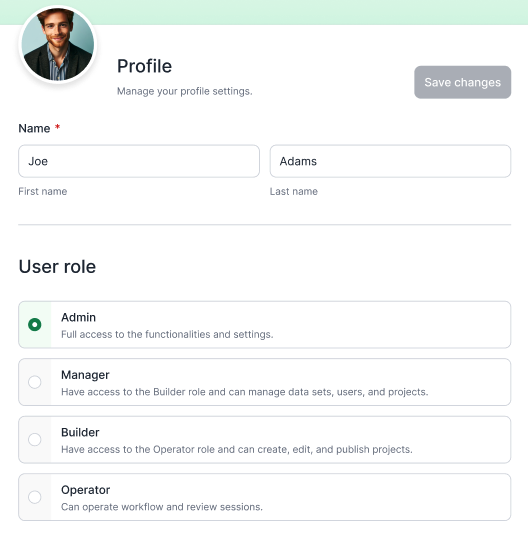
Within the platform, four distinct user roles—Admin, Manager, Builder, and Operator—define the permissions and capabilities of individuals, ensuring that each user has the appropriate access to perform their tasks effectively and maintain data security. In addition to the formal roles, an informal role exists for the end-user that accesses workflows and collaborates on contracts outside of the platform.
Today, we will explore each user's role in detail, outlining their responsibilities, privileges, and limitations, from the most to the least privileged role. We will also take a look at how User Groups will work.
Admin Role
The Admin role functions as a Super Admin, possessing full access to all account creations and the ability to edit any aspect. They are uniquely authorized to connect and view data sources, as well as access account-level settings including billing, custom SSO, and security settings. Additionally, Admins can add and remove users, create groups, assign groups to projects, create datasets from data sources, initiate new projects, export the account's audit log, and view the account activity log.
Manager Role
The Manager role plays a crucial role in overseeing daily activities and managing datasets, combining the responsibilities of both the Operator and Builder. Key functions include viewing, creating, editing, and deleting datasets, accessing the data catalog, adding datasets to projects, inviting users, and managing user groups while also viewing the audit log. However, Managers do not have the ability to connect or view existing data sources, nor can they access account-level settings such as billing, custom SSO, or security settings.
Builder Role
Builder roles are responsible for creating and optimizing forms, documents, and workflows, possessing all the capabilities of an Operator as well. They can build and edit workflows, manage project settings, invite collaborators, and view associated datasets. They are, however, restricted from connecting to new data sources, viewing existing ones or creating and editing datasets. Other restrictions for Builders are that they cannot access account-level settings, including billing, custom SSO, or security settings.
Operator Role
The Operator role’s main duty is to initiate project sessions for end users and monitor ongoing sessions. They have the ability to view accessible projects, see related session lists, and start new sessions. They can also perform data searches as part of an initiated workflow. Operators do not have access to the workflow builder and cannot make changes to a workflow configuration or view any datasets or data sources.
User Groups
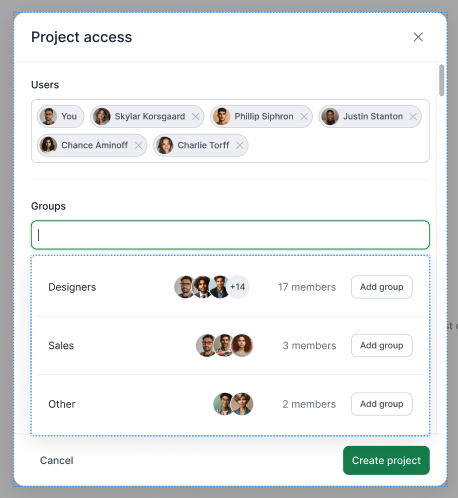
User Groups offer a streamlined solution for Managers and Admins to grant specific access to projects for designated groups of users. When access is assigned, every user within the group receives permissions based on their assigned roles. For instance, if the HR group is granted access to the New User Onboarding project, all users within that group who hold the builder role will have the capability to edit the project and begin sessions.
In summary, the distinct user roles within our platform—Operator, Builder, Manager, and Admin—are essential for effectively managing project access and collaboration. Each role comes with specific responsibilities and limitations, ensuring that users have the appropriate access to perform their tasks while maintaining data security.
By understanding these roles, users can navigate the platform more efficiently and leverage its features to achieve their project objectives, ultimately contributing to the smooth and successful execution of projects.
If you have questions or suggestions on what we discussed above we would love to hear from you. Email Colin here.
Design Partner Program Update January 31, 2025
By Ennis Al-Asaaed, VP of Product Management at Formstack
We’ve welcomed our first Design Partners into our production platform this week. Thank you to all of our customers and partners that helped us achieve this important milestone. The team has spent the past two weeks fixing defects and improving overall quality. Our job is to continue releasing new features at a rapid pace while holding the line and improving quality over the next weeks and months.
The backbone of our platform is the Data Fabric, from which we access data across multiple systems to power workflows and documents. A key component of the Data Fabric is data classification and we’d like to review what it means and how it works in our platform.
First, a confession. We frequently don’t know or completely understand all of the data in our data stores. If the data engineers are honest, they don’t either. It often takes manual work to identify the data. Then you have to properly catalog the data, taking special care to label the contents that are sensitive for compliance reasons. If all of this sounds like a headache, it is. So much so that most organizations simply don’t do it.
What to expect next?
We will complete onboarding of Design Partners into the platform over the coming days. The next task is to set up SQL databases with the table structure and test data that matches up to each partner’s target use cases. This will allow us to continue iterating on feature rollout while the effort to build data source integrations continues in parallel.
Design Partner Program Update January 27, 2025
By Ennis Al-Asaaed, VP of Product Management at Formstack
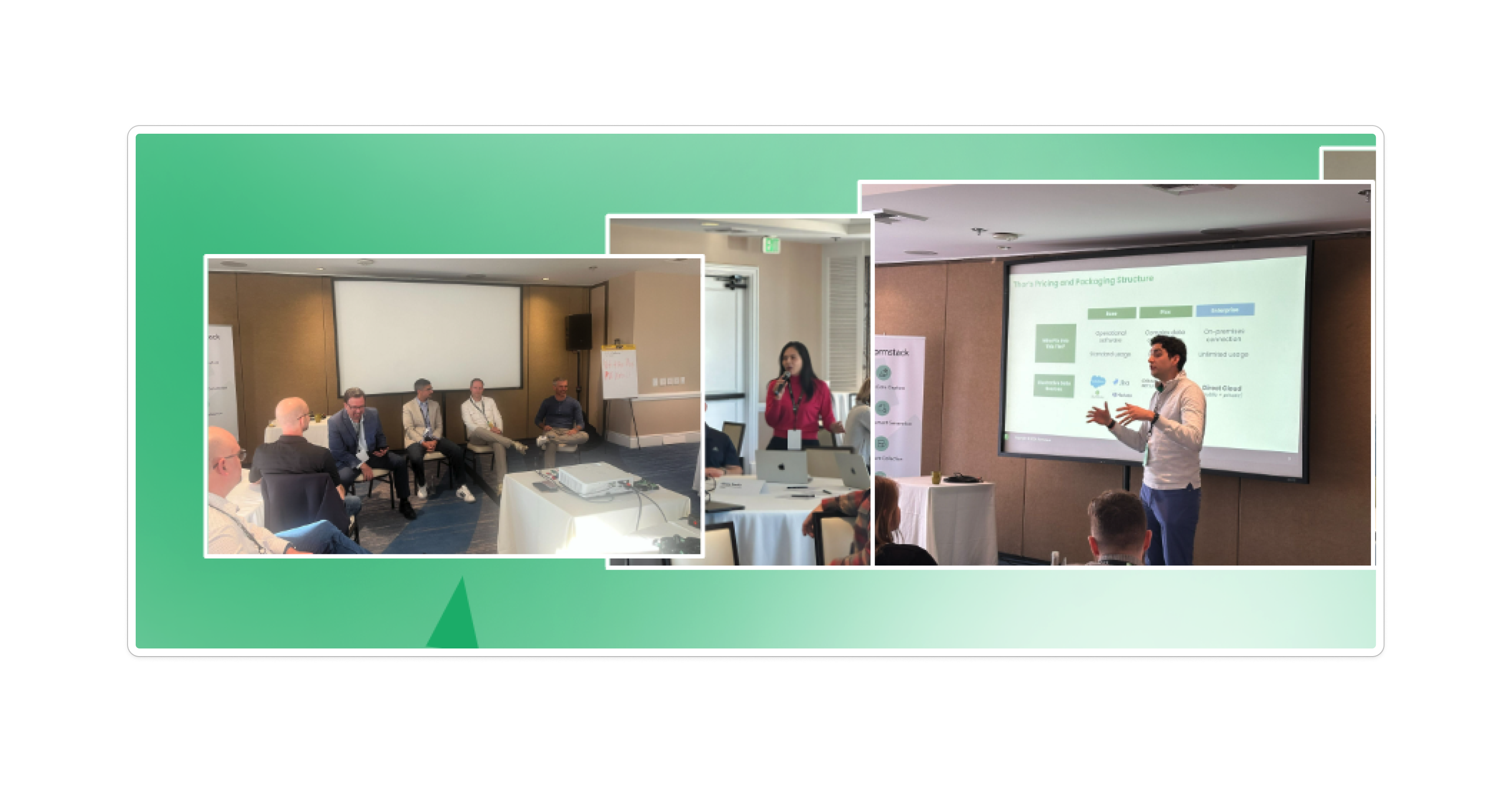
We hosted our Customer Advisory Board in Orange County last week and it was a tremendous success. We are thankful for the engagement and trust of our Customers and Partners who were able to attend the event.
For our Design Partners who were in attendance, we introduced our new platform and had great deep-dives into each of the use cases. This was especially powerful as we had our Product Managers and Designers on-site running each of these sessions, getting real-time product feedback and building relationships with our customers.
Admittedly, our goal was to onboard our Design Partners into the platform with new accounts last week but we held this back. We took a look at where we were at and our team decided the experience did not meet our quality expectations. Our Product team has been hard at work this week knocking out defects to get the platform ready. We will be in good shape to bring in our Design Partners in a few days!
A quick reminder - if you attended CAB and have not filled out the survey we would really appreciate your feedback.
What to expect next?
Each of our Design Partners has been assigned a Product Sponsor. Over the next week:
- We will add Design Partners to Slack, Teams, and confirm the preferred communication method for fast and direct interactions with our team.
- Design Partners will be invited to create a new account on our production environment.
- Each Product Sponsor will be reaching out to set up a time to meet with their Design Partner and walk through the platform and gather feedback.
- Design Partners can test the platform using SQL databases we created until we are ready with direct integrations to your systems. During our calls we will work to understand the data models for the target use cases we’ve selected and set up test data on these databases.
What can you do with the platform right now?
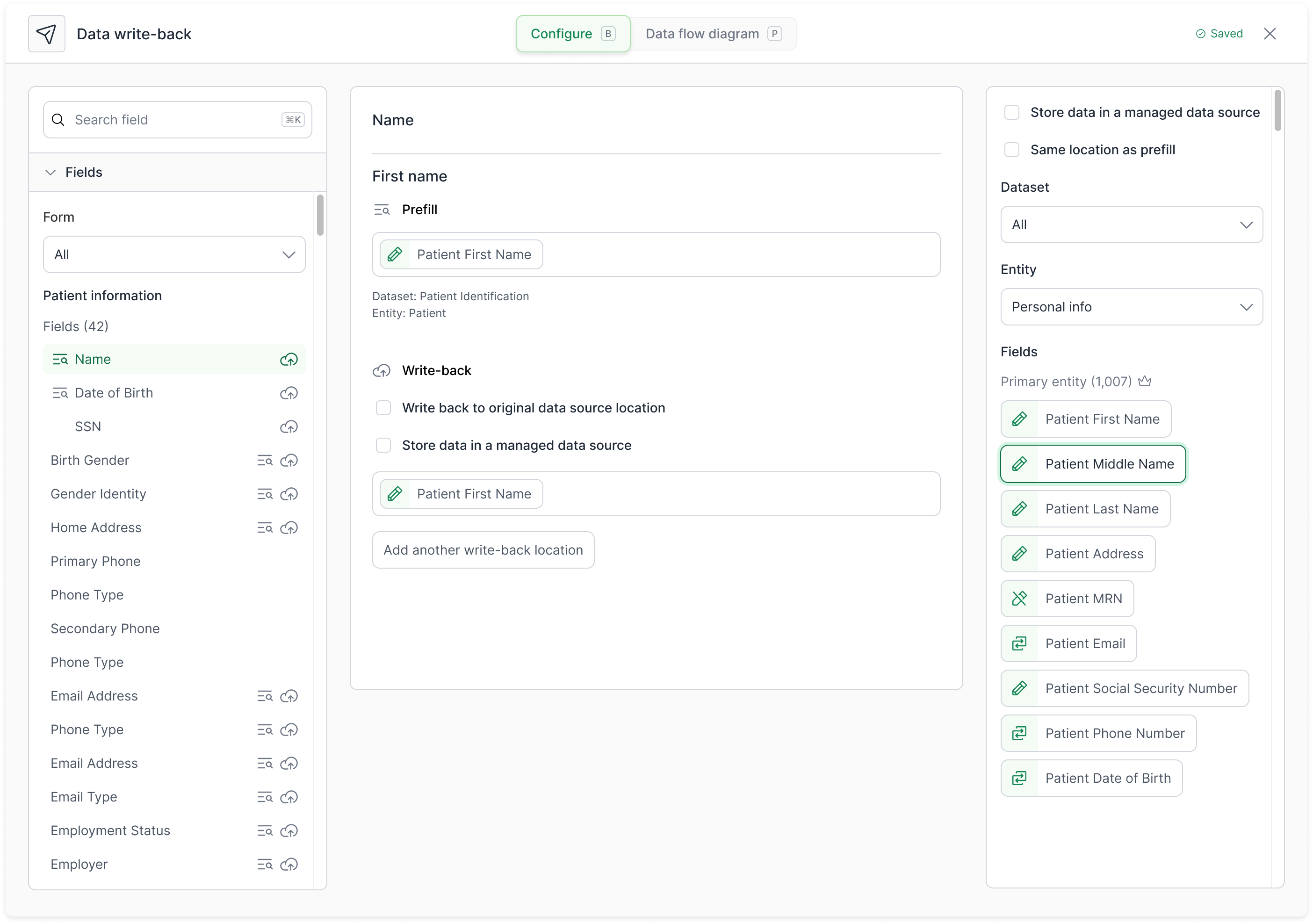
- Connect to a SQL database and set up datasets
- See data classification and tagged datasets
- Search for a record to activate a dataset and prefill the workflow
- Build workflows with Forms pre-filled with data from a database
- Add Sign steps into a workflow and map data from datasets
- Write out to database any changes submitted
- Set up email notifications
- Run an end-to-end submission and see sessions in dashboard
- Invite users and manage roles

🛠️ What’s around the corner? 🛠️
- Support for creation of new records
- Completion of the new data mapping and delivery experience
- Our AI insights and command center is still in its early stages and will be shaping up over the next few weeks into production quality
- Our API is coming together and we will have it ready in a new Developer Experience portal
- In early stages of getting our Redox connector in place to support EHR connections
- Audit log availability
Design Partner Program Update December 19, 2024
By Ennis Al-Asaaed, VP of Product Management at Formstack
We’re closing out the year with the team working hard to get the platform ready for our design partners to log into and try out first-hand.
These program updates will help keep you informed of our progress on a regular basis. We’d love to hear from you - feel free to send me an email with any feedback or questions.
Let’s dive in.
Data Fabric
The Data Fabric allows you to seamlessly integrate data across systems enabling a single unified zero-copy source of truth without costly data migrations or complex integrations. We’re also able to enforce fine-grained access controls, tracking, and compliance adherence at scale.
The Data Catalog provides you with a centralized view of all data across your organization from multiple data sources.
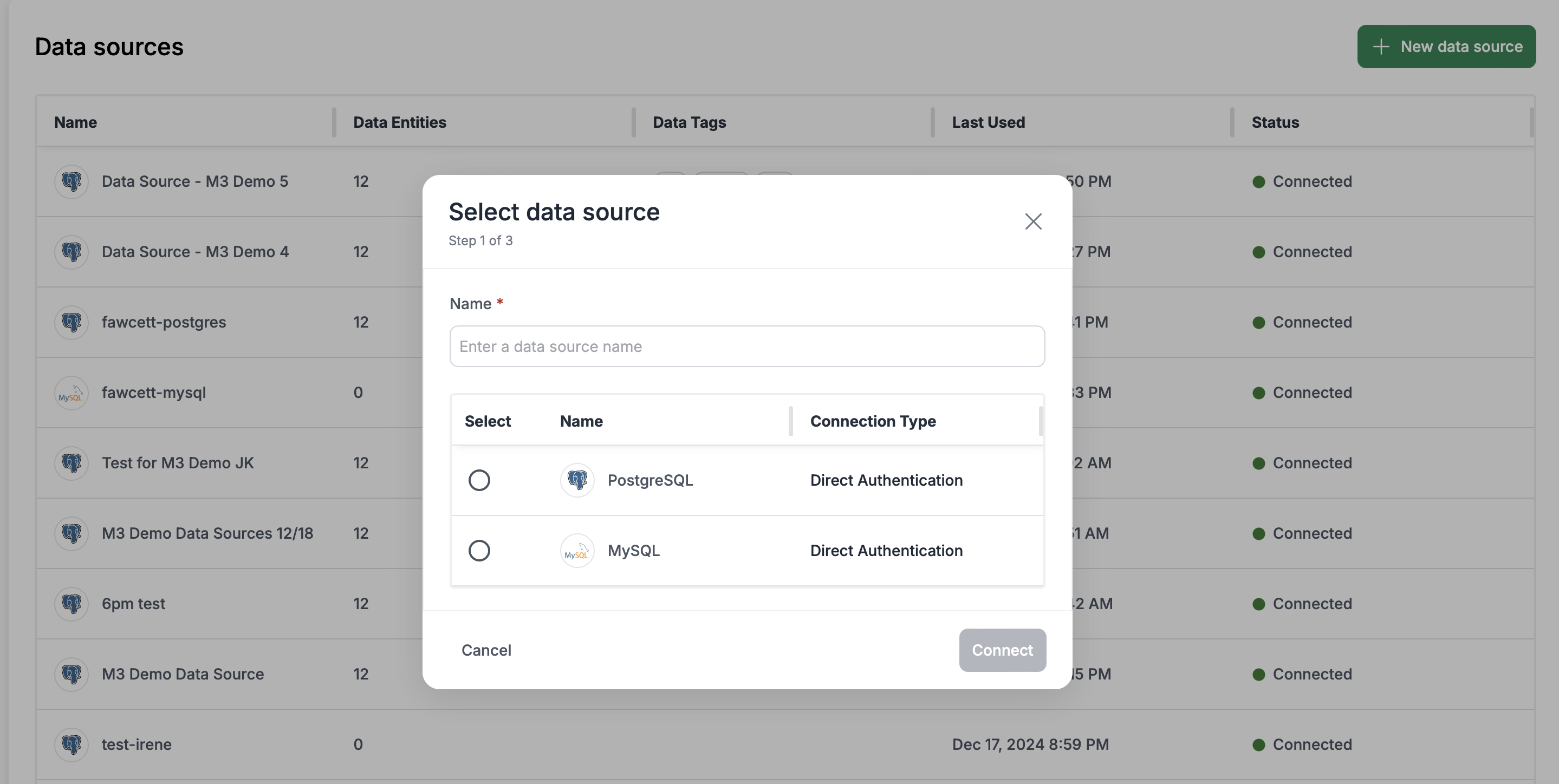
We’ve stood up our Data Fabric and completed adding in support for read and write to a hosted SQL database - both Postgres and MySQL.
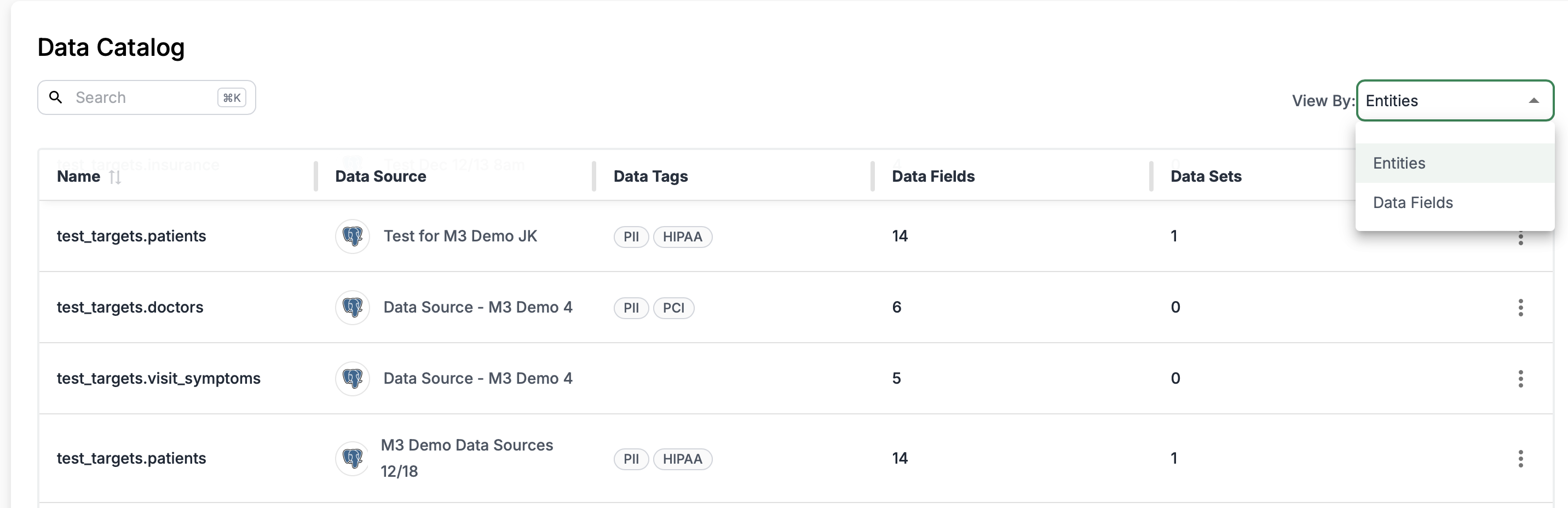
Our Data Classification service is now also up and running! Data classification matters because it allows you to easily understand what data has been connected to the platform. We use Machine Learning to classify data by type and contextual use to identify sensitive data for compliance and access control purposes. Here we can see it automatically classifying test data and tagging. This tagging is consistent throughout the platform to inform on where sensitive data may be used. More work to fine-tune the model to come.
Workflows
Our unified workflow builder is live and currently includes support for building Form steps and Signature Steps. The builder is brand new and uses a modern and consistent UI throughout. The end-user experience is also rebuilt but benefits from our very capable core technology.

Data Activation
We’re also seeing our new Data Search feature come together nicely. We now have the ability to build it out and search for a record to use to prefill our workflow.
Governance
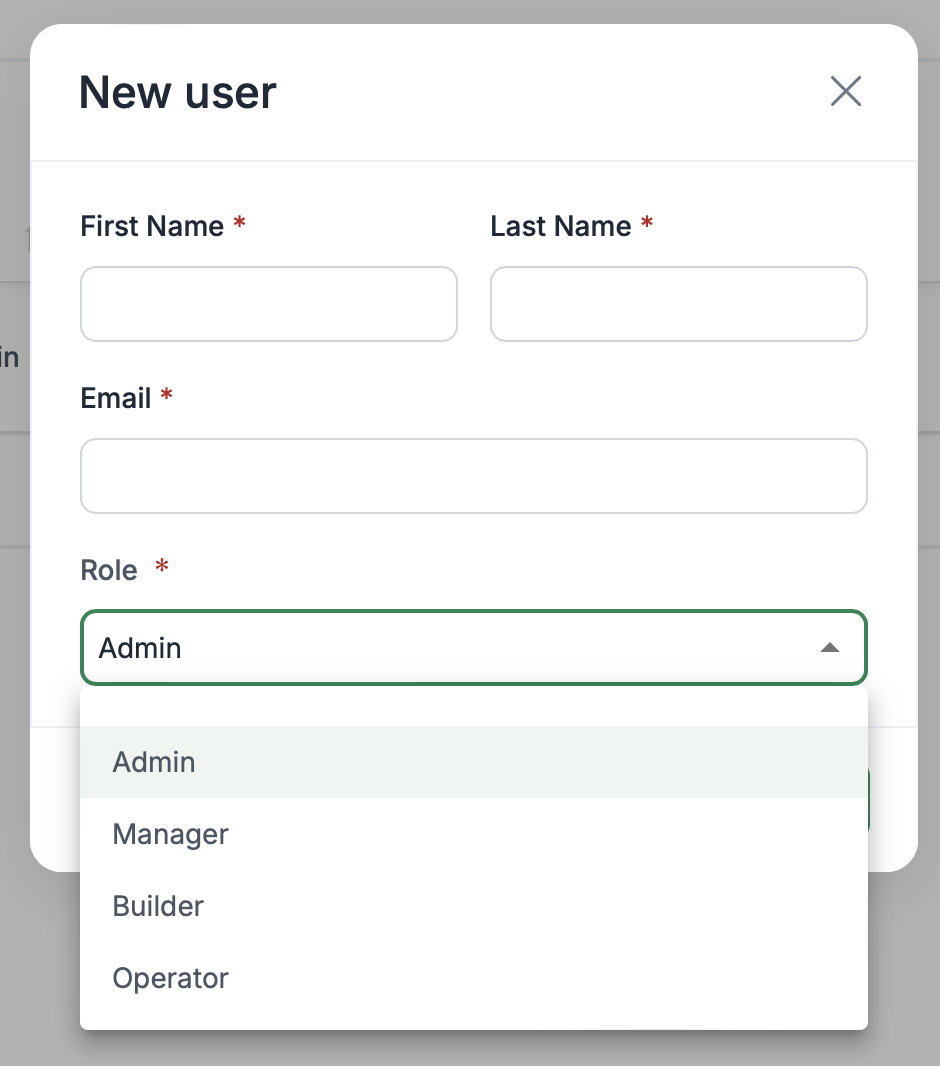
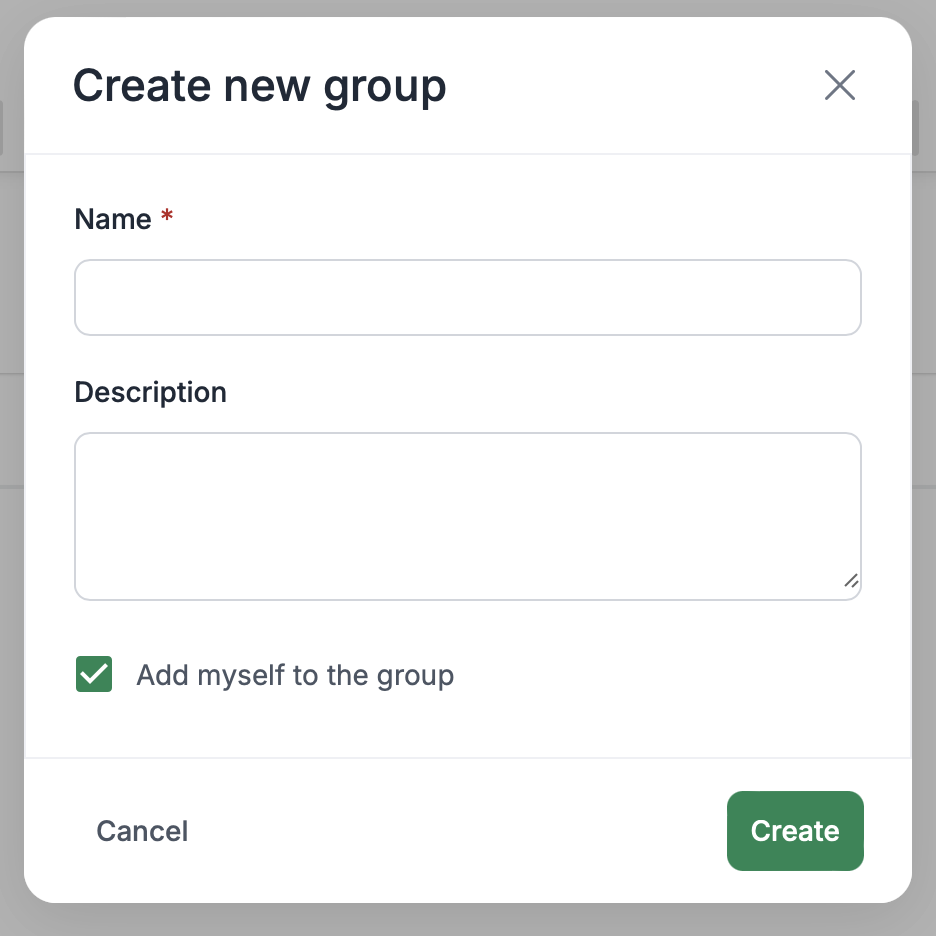
Access control is now implemented, enabling user creation, role assignment, and group management. The model is built around User Roles, empowering users with tailored access permissions. The user experience (UX) is designed to align with these roles:
- Admins: Focused on managing Data Sources, leveraging their familiarity with authentication mechanisms and infrastructure connections.
- Managers: Access the Data Catalog to create Data Sets for various projects.
- Builders: Utilize the Data Sets created by Managers for their projects.
- Operators: Manage running workflow sessions, search for data to prefill often as the first step in a workflow.
This role-based approach ensures clear separation of access and UX, creating a streamlined experience for each user persona.
Developer Experience
We’re designing our authentication token mechanism this week. This will open up access to the API that all teams are working on and documenting. We’re looking forward to making a public API available.
🛠️In Development 🛠️
- Salesforce is the next data source we are working on.
- Data mapping & delivery UX is being revamped based on feedback and learnings to make it more intuitive.
- Managing project membership - users & groups.
- A new Developer Experience portal and reference site is coming soon!